 Mental math
Times Table Mosaic
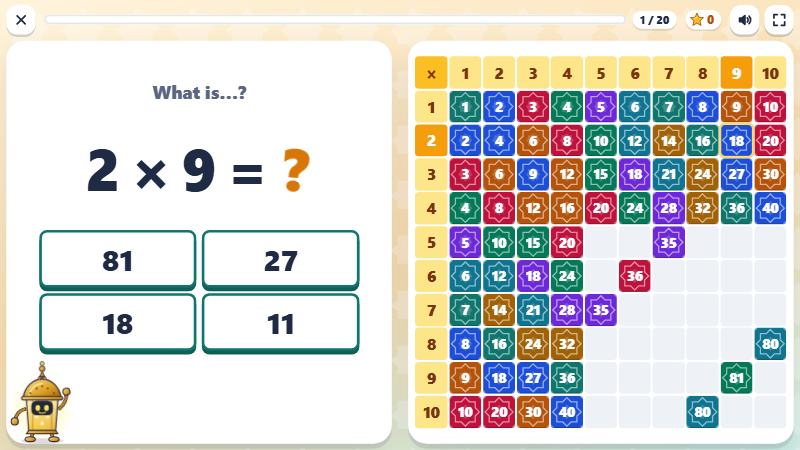
The multiplication chart becomes a mosaic. Each quick correct answer lights up a square; after two quick correct answers, the square becomes a tile. After a mistake, rows of dots show the product and the fact comes back a little later. Fanous, the lantern robot, cheers the class on.
 Start the game
The game opens full page, with no ads and no sign-up.
- Level
- Grades 2–5
- Way of playing
- Solo or in teams
- Suggested time
- 5 to 20 min
- Game languages
- Arabic · French · English · Spanish
- Price
- Free
What pupils practice
- Learn the times tables from 1 to 10, or up to 12.
- Find a missing factor: 7 × ? = 56.
- Read a multiplication chart and find a product on it.
- Understand a product as equal rows: 6 × 4 is 6 rows of 4.
How to play
- Choose one or more tables, then an activity: practice, missing number, beat the clock or multiplication chart.
- Pupils answer with 4 buttons or a number keypad.
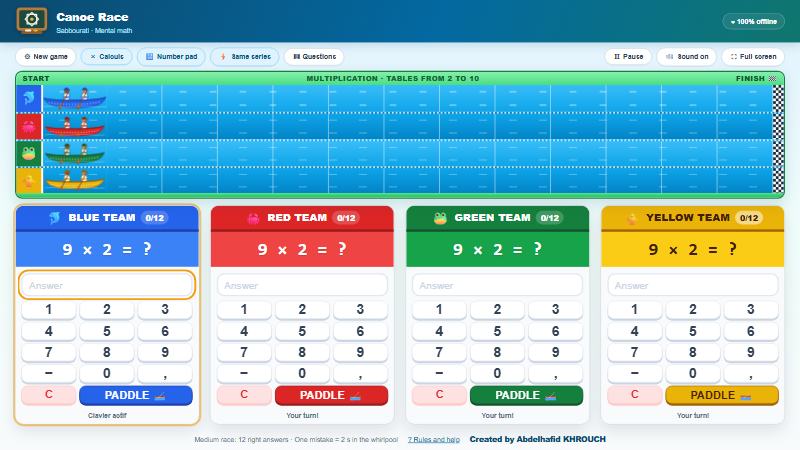
- In beat the clock, the class plays for 60 seconds, or two teams take turns.
- The mosaic is saved on the device, so the class finds it again next lesson.
In the classroom
Start with the 2, 5 and 10 times tables, then add one table at a time.
After a mistake, have pupils count the dots aloud, row by row: 6, 12, 18…
Useful settings
- Tables from 1 to 10 or from 1 to 12.
- 10, 20 or 30 questions, or 60 seconds against the clock.
- The game can be played in English, French, Spanish and Arabic.